

Quick Tips for Accessing Your Digital Purchases
Thanks for your ordering a digital product from my store. If you’re not sure how to access your files, here’s a quick walk-through.
Download Link After Purchase
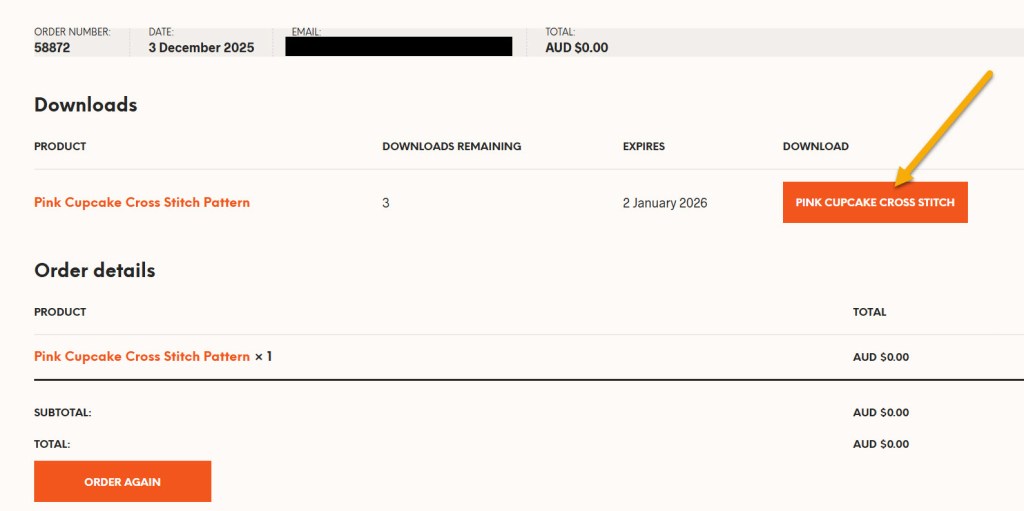
Once your payment is complete, a download link will appear immediately on the order confirmation (success) screen.
- Just click the button to download your files instantly.
- Your files will be in a .zip file format (to save space and faster downloading). Most devices will unzip it automatically with a double-click. Alternately, right-click and choose “Extract” or “Unzip”.
- Check my support desk article Opening the .Zip File if you run into problems.
Download Link in Your Email
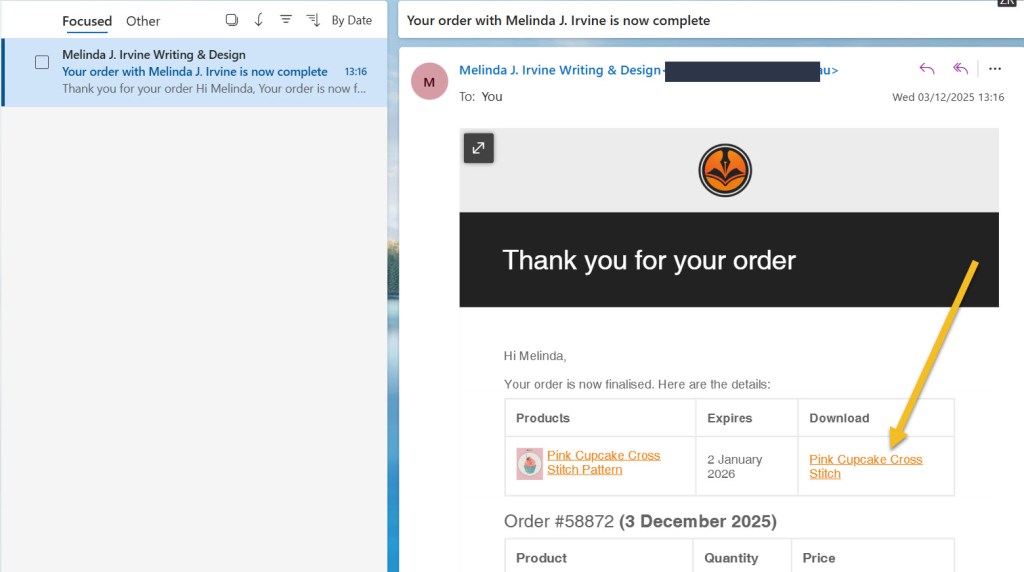
You’ll also receive an order confirmation email within a few minutes of purchase. This includes your order summary and a direct link to download your pattern. The email is sent to the address you provided at checkout. If you can’t see the email, check:
- Your spam or junk folder
- The promotions tab (especially for Gmail users)
- Your “other” inboxes if using apps like Outlook
- Your archives or deleted items in case it was accidentally deleted
Still no luck? Reach out on the contact form and we’ll get it sorted.
Download from Account
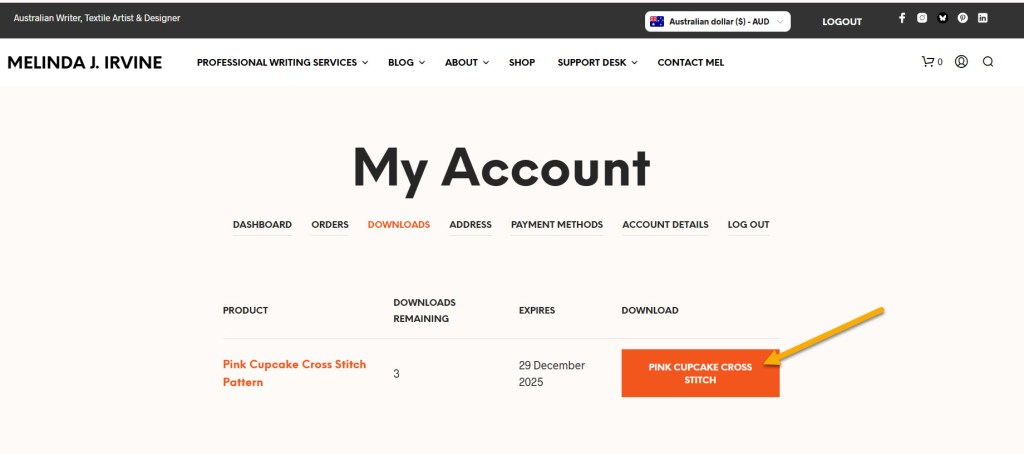
If you created an account during checkout (or before), your files are available from the dashboard.
- Login at https://melirvine.com.au/my-account/downloads
- Click the download button and save your file/s to a secure location
- Download links for free samples expire after 30 days.
- Download links for premium (paid) products expire after 1 year.
Still Need Help?
Reach out on the contact form and I’m normally in touch within a few hours.


LAST UPDATE: 3rd DECEMBER 2025
You must be logged in to post a comment.